



4,713 pages. An experienced researcher would need five days to build a timeline. I did it in 20 minutes, during a coffee break.
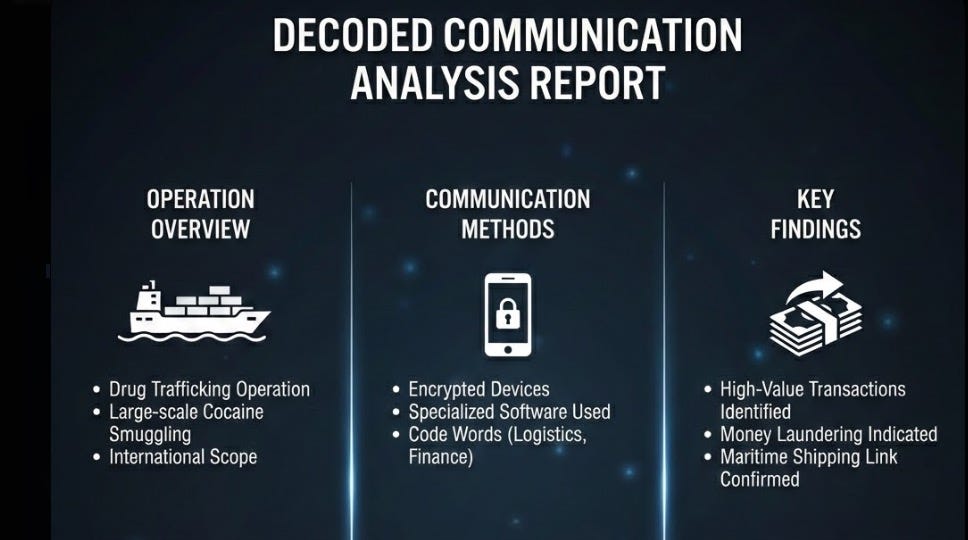
The file was a cocaine smuggling case. Court orders, wiretap transcripts, cell tower data, arrest warrants, bank statements, interrogation protocols—all mashed into one 170-megabyte PDF.
AI did the heavy lifting. It works when you know which buttons to press—and when to stop pressing and start thinking.
This unique guide shows you how to process large (confidential) data via AI without leaking data.
Includes our brand new GitHub tool to anonymize data, so you can give to AI and then decode it back with original data.
How did it start?
I was teaching a course this week—"Researching with AI," one of forty bootcamps I'm running this year. Organizations are welcome to bring their own material—the cases they're stuck on, the documents they can't crack. The first hour is always about getting rid of ChatGPT. I call it the McDonald's of AI: fine when you want something warm and fast. But when you're doing precision work, you don't want a warm feeling. You want cold facts. Exit ChatGPT.
A legal expert walked up to me. He had that look. “I’ve got this case file,” he said. “I don’t have a timeline of events yet, even after five days of hard work. Can AI help?”
He opened his laptop. The PDF was called something like “CaseFile_Snowfall_Complete.pdf”—I’m changing details for obvious reasons.
“I need a timeline of every significant event,” he said. “Who did what, when. But every time I search for a date, I get hundreds of hits. Phone numbers. Reference codes. Bank transactions. I can’t separate the real dates from the garbage.”
He tried free online tools to split the PDF. Converters to turn it into text. But the converters couldn’t read every page—some were scanned, some were photos.
My next session started in 30 minutes. “Let’s try something safer and faster”, I said.
Why I didn’t go to chatbots
The document contained 1,053,356 words. I didn’t bother uploading it to the usual AI chatbots—security reasons alone ruled that out. But in case you’re tempted, say if the documents are public, let me save you twenty minutes of frustration.
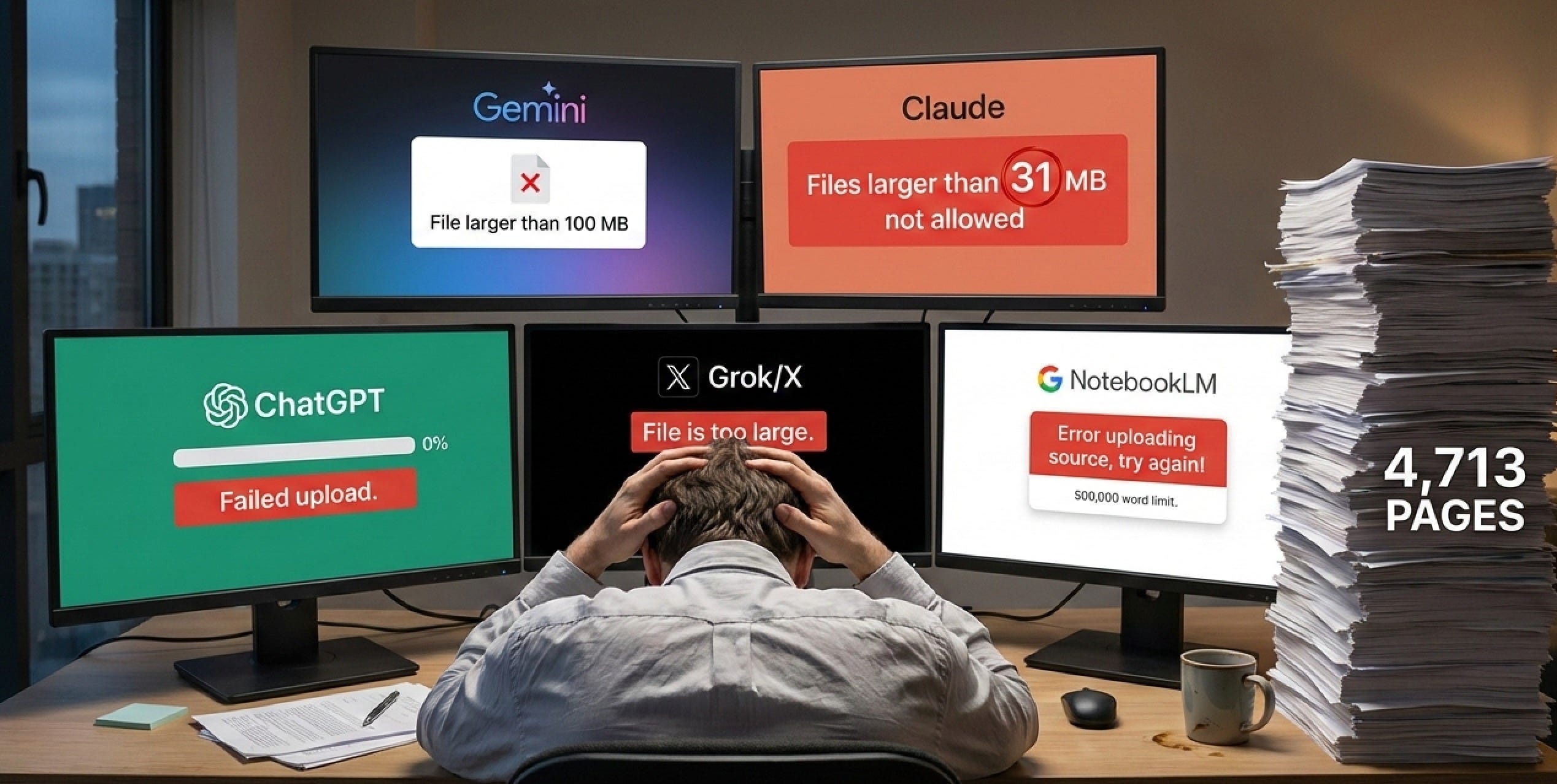
ChatGPT times out with “Failed upload.” Gemini refuses: “File larger than 100 MB.” Claude.ai: “You may not upload files larger than 31 MB.” Thirty-one—a number so arbitrary it sounds like it was decided by a committee that gave up halfway through.
SuperGrok just says “File is too large.” Google NotebookLM accepts up to 200 MB, which made my 170 MB file seem safe—until the hidden 500,000-word limit kicked in. It doesn’t tell you that. It just says “Error, try again.”
Five tools. Five excuses. What now? Use a different tool?
Adobe Acrobat can compress a 170 MB PDF down to maybe 80 MB. Problem solved?
Shrinking a PDF makes the file smaller. Not the text. The AI still has to read all of them.
Think of it this way: Vacuum-packing a suitcase doesn’t reduce the number of shirts.
The solution is a weird mix of asking AI to speak up and shut up at exactly the right moment. Step 1: security
YOU CAN SKIP THIS SECTION WHEN THE DATA IS PUBLIC
Never give a criminal investigation to free AI tools ? Redact your files on your local computer first.
Before any cloud AI touches your file, replace sensitive info with placeholders. On your machine. Offline.

Upload the cleaned version. The AI sees:
“PERSON_A transferred AMOUNT_1 to COMPANY_A on DATE_1”
AI builds your timeline. Finds patterns. Has no idea who PERSON_A is.
Download the results. Reverse the placeholders on your machine.
Done. Full analysis, real names—cloud AI never saw them.
One OSINT expert responded with :
This feels like building a soundproof room just so you can yell into a phone. Skip the cloud. Keep the data dirty. Process it on your own metal.
If you go full meta mode, you feed the cloud with structure of data, not the sensitive data itself . And the soundproof room is also build with AI, but it will never hear what is said.
The workflow
Just once, let a Claude or Gemini write a program that redacts information. Take unclassified legal data, manually redact it and feed both (input and output) to help AI learn what you think is worthwhile to redact.
“PERSON_A, the mayor of Springfield” → AI might guess.
“PERSON_A arrested in Europe’s largest drug bust” → The event identifies the person.
Solution: ask the AI to write code that strips unique descriptors or when you really paranoia, change each noun with a nonsense word, feed that to the cloud and let the program decode it. Remember, you want to find patterns.
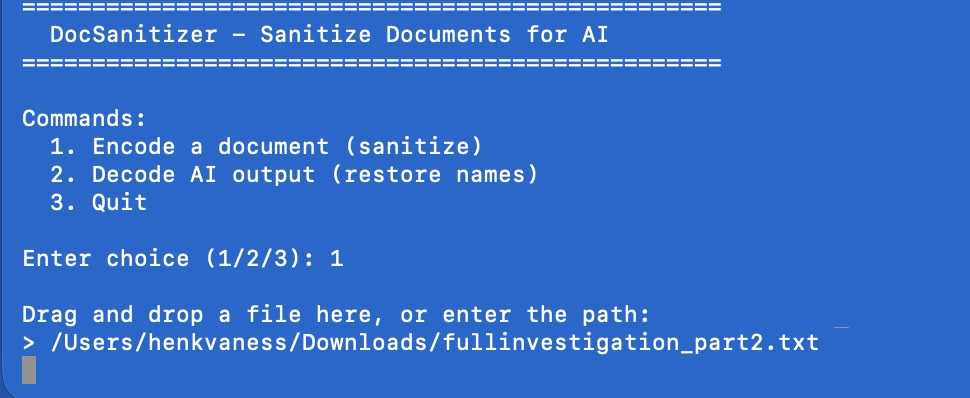
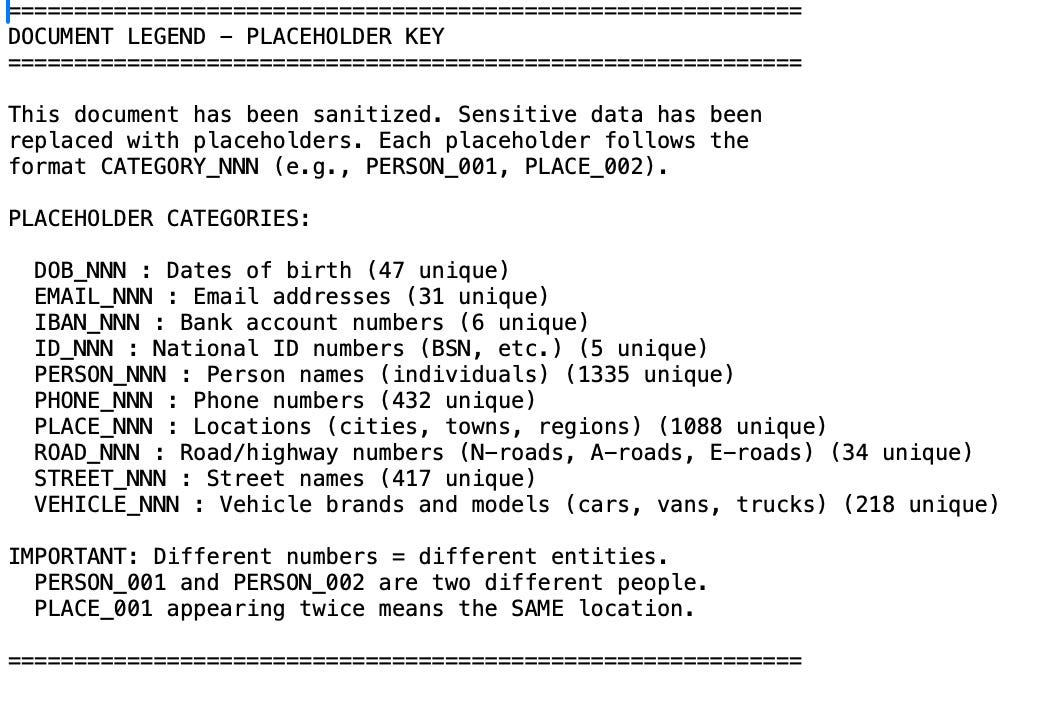
Done? Go offline. Ask the program to replace names, addresses, case numbers with placeholders. Nothing leaves your machine. Do a few test runs to see if nothing goes wrong
Feed the redacted data to , basically the structure of your data, to AI and analyse whatever you want
Go back to 2 and repeat.
Example
Before: “On 16/10/2023, officers arrested John Smith at 123 Harbor Road. He was hired by Marcus Johnson .”
After encoding: “On 16/10/2023, officers arrested PERSON_A at ADDRESS_1. He was hired by PERSON_B"
AI output: “Timeline shows PERSON_A arrested on 16/10/2023, was hired by PERSON_C , a nephew of PERSON_A, who runs COMPANY_X, COMPANY_Y and COMPANY_Z
After decoding: “Timeline shows John Smith arrested on 16/10/2023, was hired by Jay Johnson, a nephew of Marcus Johnson, who runs with his brother also Hideout 2, 3 and 4
Bottom line
Replace secrets locally. Let cloud AI work on the sanitized version. Swap back locally.
The AI never sees real data.
If you are legal expert: AI is not taking over your work. You still have to show the original data and explain how you reached your conclusion. Defense can examine those same documents. They don't need to audit the algorithm, because the algorithm didn't produce evidence—just a roadmap.
Same way Ctrl+F doesn't break chain of custody, neither does pattern recognition on anonymized data. It speeds up the investigation. It doesn't replace verification.
 AI never sees the real data.
You anonymize locally first: "John Smith" becomes "PERSON_A." The AI only analyzes that structure—finds patterns, connections, timelines. Then you decode back to real names on your own machine.
The AI isn't evidence. It's a flashlight.
Say the AI finds: "PERSON_A met PERSON_B three days before the transfer to COMPANY_X." That's not a conclusion you present in court. That's a hint where to look.
You go back to the original documents. Page 847, page 1,203, page 3,421. That's where the evidence lives. The AI helped you find where to look—in 20 minutes instead of 5 days.
Step 2: use a chainsaw
Sanitized or not, you can’t feed big data to chatbots. What you needed is a chainsaw.
Here’s the thing about chatbots—ChatGPT, Claude.ai, Gemini, all of them. They live in your browser. They can only help you with whatever you can carry to their house. Bring a 170-megabyte file? Sorry, too heavy. Come back with something lighter.
That’s like using a scalpel. Useless against a tree trunk.
The chainsaw approach is different. The chainsaw is your own computer, running code locally. No uploads. No file limits. No arbitrary rules invented by people who’ve never had to process 4,713 pages during a coffee break.
“But I can’t code,” you may say.
And that’s fine, because we’re not coding. We’re vibecoding.
It works like this: you describe what you want in plain language, and an AI writes the code for you and executes the task. You don’t need to understand what a “function” is. You don’t need to know what “Python” means. You just need to know what you want.
I wanted to split this massive file into smaller pieces so AI gets it.
Thats what I typed in.
The tool that makes it possible for me during my break is called Claude Code, a so called cold model. Don’t confuse it with the Claude chatbot at claude.ai—that’s the scalpel. Only Claude Code can be the chainsaw.
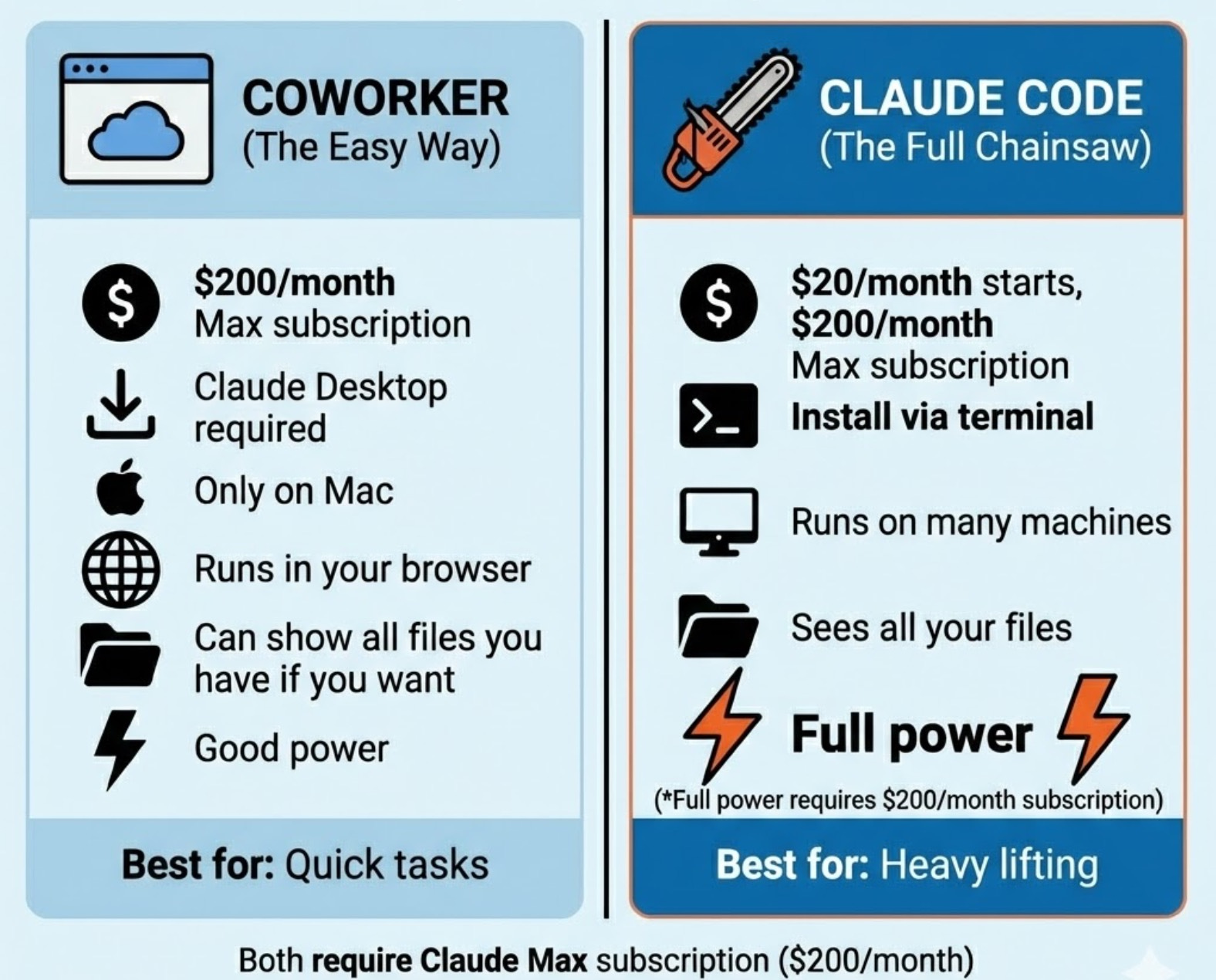
Now, there are two ways to use this. Both require a Claude Max subscription—$200 per month. That’s not a typo. Two hundred dollars. Every month.
Is it worth it? For me, yes. One investigation like this used to take days. Now it takes minutes. But you’ll have to decide for yourself.
Once you have Max, you get two options:
OPTION 1: CLAUDE CODE COWORKER (The Easy Way)
Claude just launched today Claude Code Coworker to help you code. It is user friendly. If you want the easiest possible experience and don’t need maximum power, Coworker is great.
The catch? It’s less powerful than option 2. It only runs on Mac via Claude Desktop.
OPTION 2: CLAUDE CODE (The Full Chainsaw)
For the project, I used the Claude Code that runs directly on your computer. It starts with $20 per month, but you don’t get Claude Coworker without a $200 Max subscription.
The trade-off? You need to install it. That means opening Terminal.
Terminal is a window with a blinking cursor that scares most people. Here’s a secret: it’s just a place where you type commands instead of clicking buttons. That’s all.
Open Terminal and type this one line:
npm install -g @anthropic/claude-code
Press Enter. Wait a minute. Done.
You now own the full chainsaw.
You just need to know what you want—and be honest about what you’re afraid of. So how does the process work? Let me show you each step.
